



Attachment drive belts
Replacing the drive belts of the attachments
Attention:
- Use protective gloves when performing work.
- To avoid damage to the crankshaft pulley, do not start the engine with the accessory drive belts removed.
- Replace the drive belts, crankshaft pulley and crankshaft pulley mounting bolt with new ones after each removal.
1. Place the vehicle on a two-post lift.
2. Disconnect the negative battery terminal.
3. Loosen the mounting bolts and remove the engine protective pan.
4. Remove the front right wheel from the vehicle.
5. Remove the front right fender liner.
Versions with air conditioning and power steering
6. Loosen the fixed roller bolt.
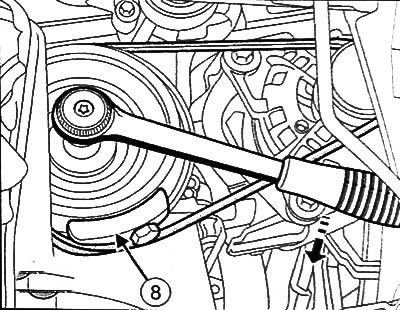
7. Using the special tool (Mot. 1368), loosen the tension roller bolt (1) and remove the drive belt (2).
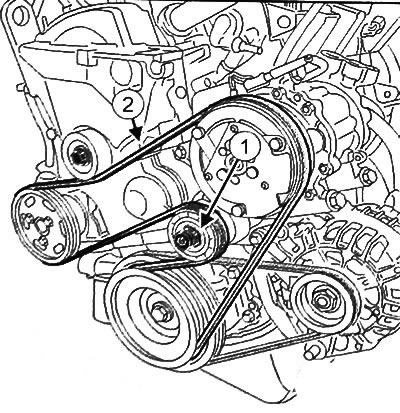
Versions with air conditioning without power steering
8. Using the special tool (Mot. 1368), loosen the tension roller bolt (1) and remove the drive belt (2).
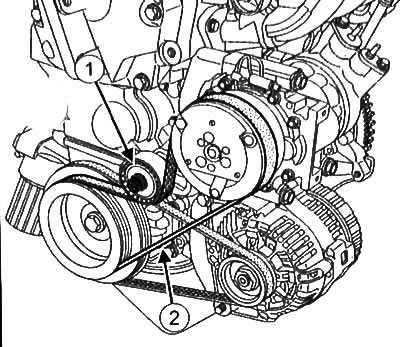
Continuation for all versions
9. Cut off the generator drive belt (3).
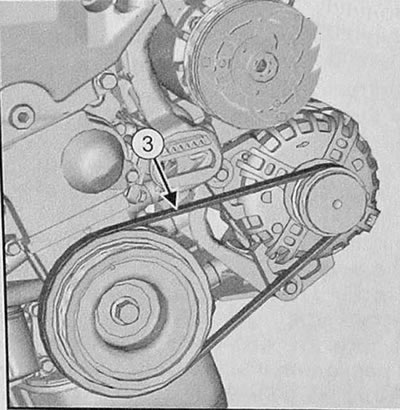
10. Loosen the bolt (4) and remove the flywheel guard (5).
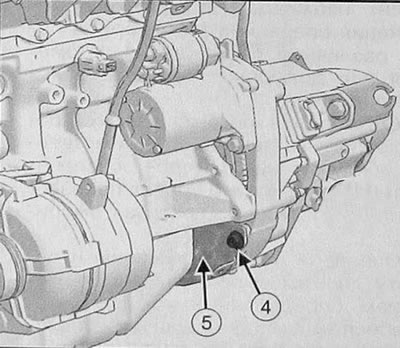
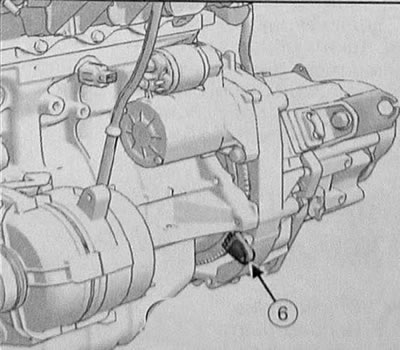
11. Install the flywheel locking device (Mot. 582-01) (6).
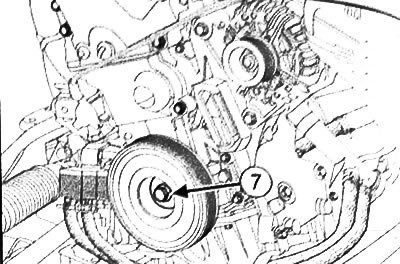
12. Loosen the bolt (7) and remove the attachment drive pulley.
13. Clean the grooves of the new crankshaft pulleys with a brush to remove any deposits.
Caution: Use only a brush with plastic or non-corrosive metal bristles (for example, copper).
Versions with air conditioning and power steering
19. Install the new drive belt according to the diagram shown in the figure.
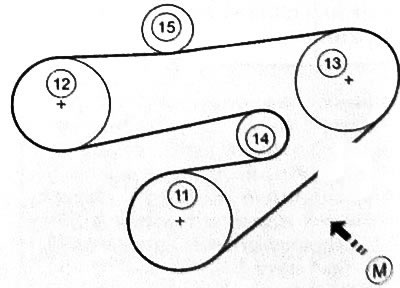
11. Crankshaft. 12. Power steering pump. 13. Air conditioning compressor. 14. Tensioner roller. 15. Fixed roller. M. Drive belt tension check point
20. Install the new fixed roller and tighten the mounting bolt.
21. Install the new tension roller and tighten the mounting bolt.
Versions with air conditioning without power steering
22. Install the new drive belt according to the diagram shown in the figure.
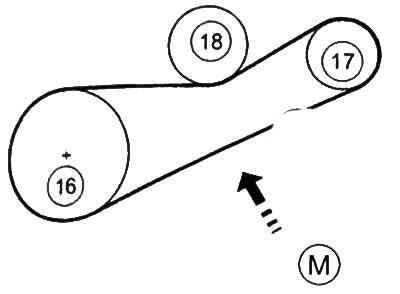
16. Crankshaft. 17. Air conditioning compressor. 18. Tension roller. M. Drive belt tension check point.
23. Install the new tension roller and tighten the mounting bolt.
Continuation for all versions
24. Check and adjust the drive belt tension (see the relevant section below).
Note: Drive belt tension value: 219Hz ±4Hz.
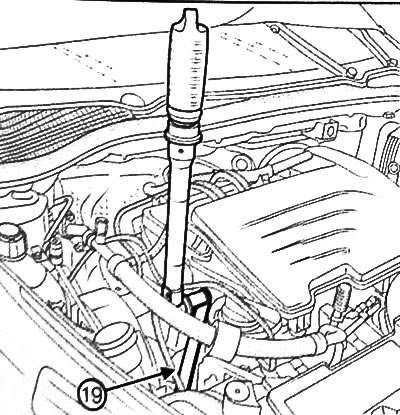
25. Tighten the tension roller bolt to 44 Nm using the special eccentric tension roller bolt tightening tool (Mot. 1368) (19).
26. Turn the engine crankshaft three turns clockwise (from the timing drive side) for shrinking the drive belt of the accessory equipment.
27. Check the natural belt tension again. If the tension is not correct, repeat the adjustment.
28. Install the attachment drive belt guard.
29. Further installation is carried out in the reverse order of removal.
Checking the tension of the accessory drive belt
The Mot.1715 frequency meter or the Mot. 1715 frequency indicator allow you to measure the tension value of the accessory drive belt when searching for the cause of a malfunction or when replacing the drive belt.
It is important to adhere to the manufacturer's recommended drive belt tension value, as it directly affects the service life of the drive system.
Incorrect drive belt tension can cause noisy operation, loss of power, engine stalling, or even serious engine damage.
Verification procedure
Note:
- The devices measure the oscillation frequency of the installed drive belt. The oscillation frequency is the physical quantity that allows one to determine the correctness of the drive belt tension quite accurately.
- Measurements should not be made with only one sensor, the second sensor is used as a reference, so it should be located outside the measurement area.
- Both sensors can be used as both measuring and reference sensors.
- Measurement range: 30-520 Hz.
- Error: ±1 Hz < 100Hz and 1% > 100 Hz.
Device Mot.1505
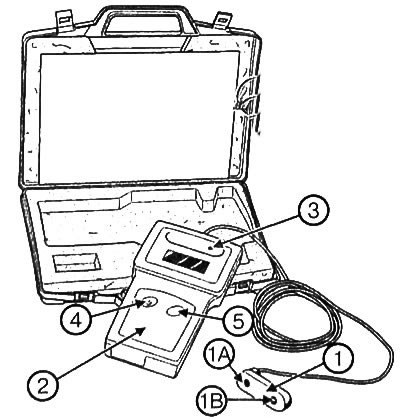
Device Mot. 1505:
1. Reading head with two sensors (1A and 113). 2. Display unit. 3. Calibration frequency generator (512I Hz) built into the display unit. 4. Power switch. 5. Test switch for equipment calibration.
1. Turn on the device using the switch (4).
2. Place the reading head (1) opposite the section of the drive belt where the measurement is to be taken (see illustration in the section "Replacing the accessory drive belts" above). Place the reading head (1) at a distance (X) of 5 to 10 mm from the belt. The measurement can be taken from either side of the drive belt (7 or 8).
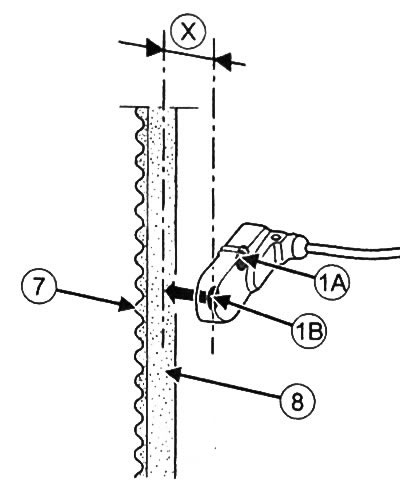
Note: You can use either sensor (1A) or sensor (1B). However, while one of the sensors is in use, the other must be outside the measurement area. Simultaneous frequency measurement by two sensors is not allowed.
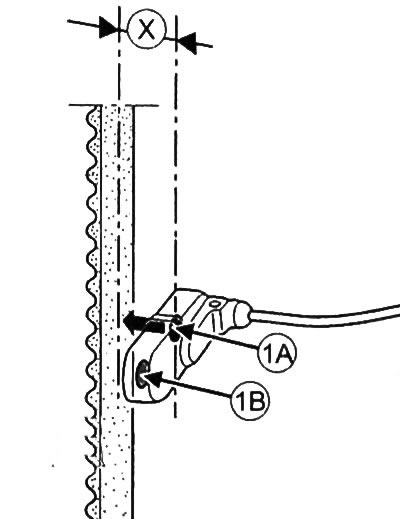
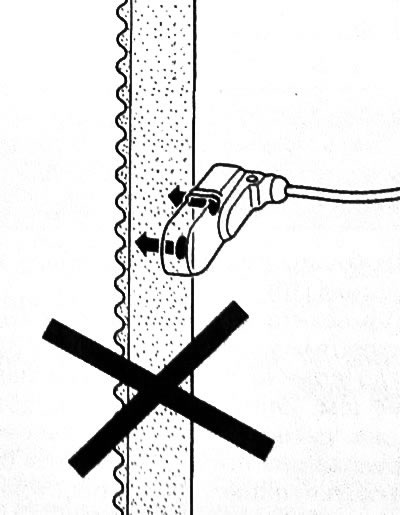
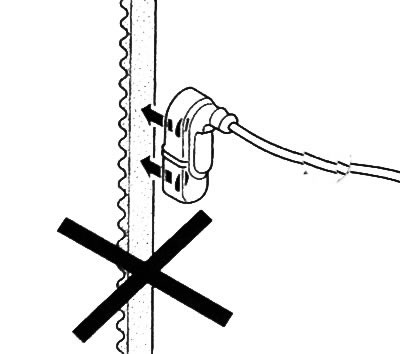
3. Using your finger, make the drive belt vibrate and measure the frequency of vibrations.
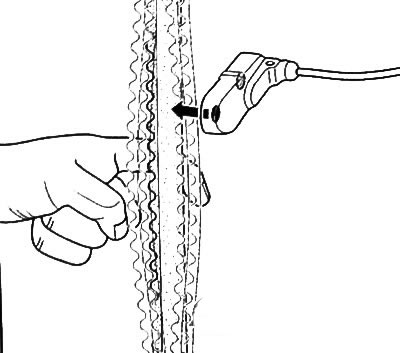
Note: The process of measuring the oscillation frequency is confirmed by a sound signal from the device.
Device Mot.1715
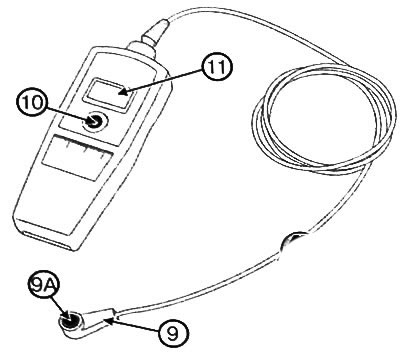
Device Mot.1715:
9. Reading head with one sensor (9A). 10. Power switch. 11. Display.
1. Turn on the device using the switch (10).
2. Place the reading head (9) opposite the section of the drive belt where the measurement is to be taken (see illustration in the section "Replacing the accessory drive belts" above). Place the reading head (1) at a distance (X) of 5 to 10 mm from the belt. The measurement can be taken from either side of the drive belt (12 or 13).
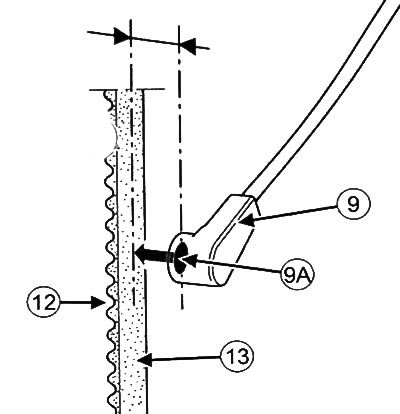
3. Using your finger, make the drive belt vibrate and measure the frequency of vibrations.
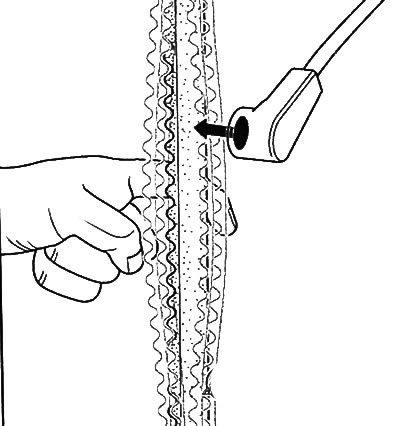
Note: The process of measuring the oscillation frequency is confirmed by a sound signal from the device.
Calibration of the test instrument Mot. 1505
Note:
- It is necessary to calibrate the testing equipment monthly.
- The calibration frequency generator (3), built into the display unit (2), allows the adjustment of the test device.
1. Turn on the device by pressing the switch (4).
2. Place the sensor (1 A) on the calibration frequency generator (3).
3. Press the test switch (5).
4. Read the value from the device display.
5. Check the sensor (1 V) in a similar manner.
6. If the obtained value for both sensors differs from 512±1 Hz, it is necessary to contact the representative of the device manufacturer for its service.