



Contents: Front interior light and reading…🠛 Rear compartment lighting 🠛 Trunk light lamp 🠛 Instrument cluster lights/indicator…🠛 Glove box light 🠛 Multifunctional display lamp 🠛 Cigarette lighter lamp 🠛 Switch illumination lamps 🠛
Follow the Section Replacing lamps (external lighting fixtures), paragraph 1.
Front interior light and reading light
Models with a combined light unit
1. Using a flat-head screwdriver, carefully pry the headlight assembly cover off the overhead console.
2. Remove the corresponding lamp.
3. Install in reverse order.
Models with separate lights
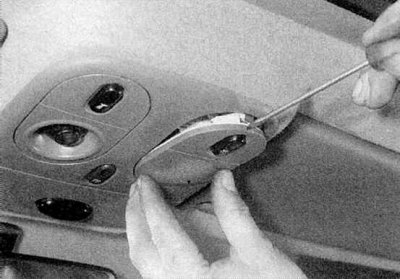
1. Using a flat-head screwdriver, carefully remove the headlight assembly (refer to the accompanying illustration).
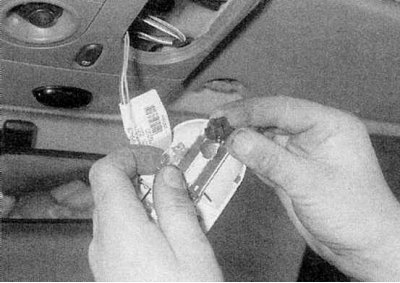
2. Turn the bulb holder counterclockwise and remove it from the flashlight. Pull the bulb out of the holder (refer to the accompanying illustration).
3. Install in reverse order.
Rear compartment lighting
1. Using a flat-head screwdriver, carefully pry the diffuser off, then release the bulb and remove it from the headlight assembly.
2. Perform installation in reverse order.
Trunk light lamp
[Article reprinted from the website: renaultbook.ru]
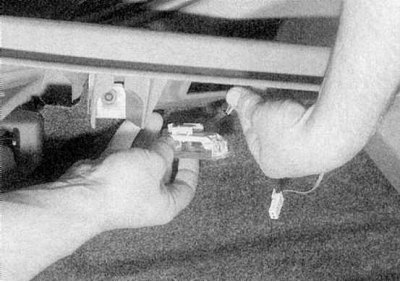
1. Using a flat-head screwdriver, carefully pry the light assembly away from the trim panel and disconnect it from the wiring connector (refer to the accompanying illustration).
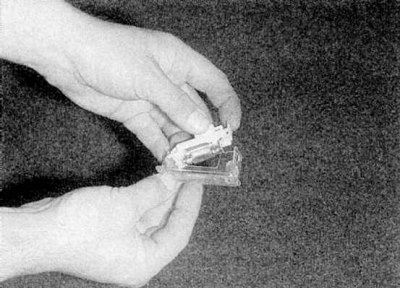
2. Press the retaining clip and release the lens from the lamp unit, then remove the lamp (refer to the accompanying illustration).
3. Install in reverse order.
Instrument cluster lights/indicator lights
1. Remove the instrument panel as described in Section Removal and installation the instrument panel.
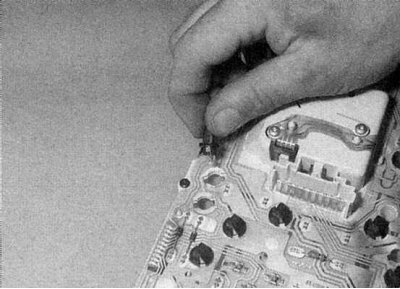
2. Turn the corresponding lamp holder counterclockwise and remove it from the rear of the panel (refer to the accompanying illustration).
3. All lamps are built into their holders.
4. Install the lamp holder, then the instrument panel, as described in Section Removal and installation the instrument panel.
Glove box light
1. Open the glove compartment and replace the lamp as described above.
Multifunctional display lamp
1. Remove the multifunction display as described in Section Removal and installation the multifunction display.
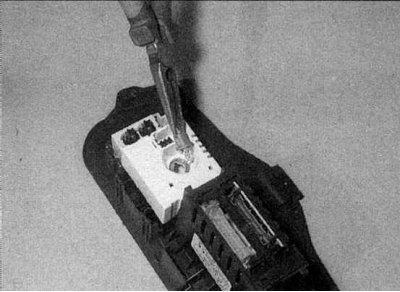
2. Rotate the lamp holder 90° and remove it from the display (refer to the accompanying illustration).
3. Install in the reverse order of removal.
Cigarette lighter lamp
1. Remove the cigarette lighter as described in Section Removal and installation the cigarette lighter.
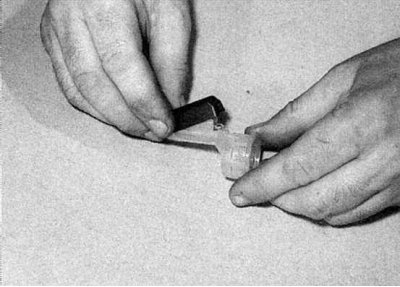
2a. Remove the lamp cover.
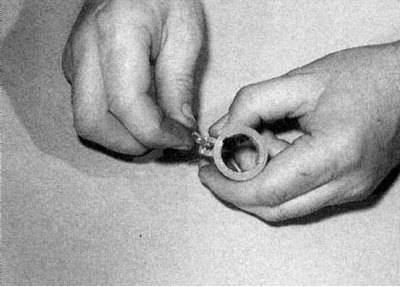
2b. Pull the lamp out of the holder (refer to the illustrations).
3. Install in reverse order.
Switch illumination lamps
1. All switches are equipped with lighting lamps. On some switches, these lamps can be removed by turning their holder 90°. However, some switches have built-in lamps. Therefore, to replace it, you need to replace the switch.