



Contents: Getting information from the display 🠛 Odometer (total mileage counter) 🠛 Daily mileage counter 🠛 On-board computer 🠛
The composition of the equipment depends on the version, vehicle configuration, and the country of delivery.
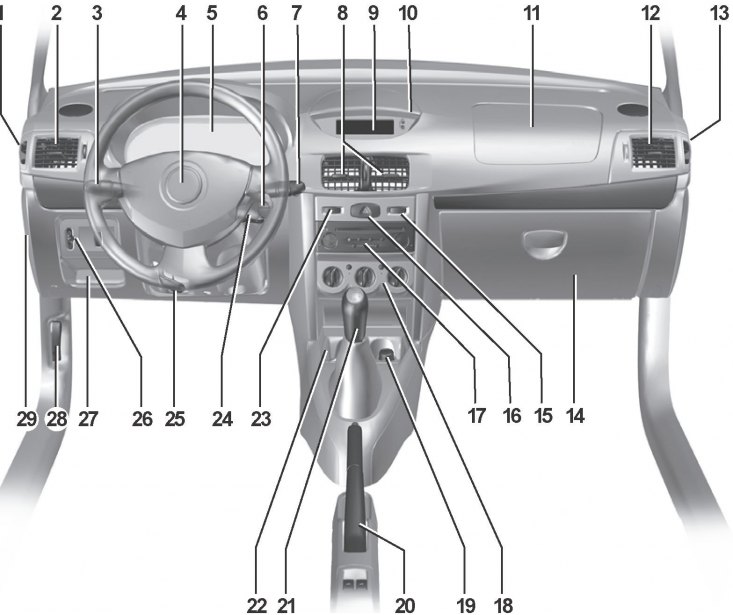
1 Side window blower nozzle.
2 Side deflector.
3 Switches: direction indicators, exterior lighting, fog lights, rear fog light.
4 Space reserved for installation of the driver's airbag.
- Sound signal.
5 Instrument panel.
6 Remote controls for the audio system.
7 Windshield wiper/washer switch.
8 Central deflectors.
9 - Clock. Indication of outside air temperature.
10 Storage boxes (depending on the car model).
11 Storage compartment or space reserved for installation of passenger airbag.
12 Side deflector.
13 Side window blower nozzle.
14 Glove box.
15 Rear window heating switch.
16 Hazard warning switch.
17 Place for installing an audio system.
18 Air conditioning system controls.
20 Parking brake.
21 Gear shift lever.
22 Holder for cans, bottles.
23 Central locking switch.
24 Ignition switch.
25 Steering wheel height adjustment lever.
26 - Headlight corrector switch.
- Rear door glass lock switch.
27 Glove box.
28 Hood lock drive handle.
29 Fuse box.
19 Ashtray and cigarette lighter.
Depending on the equipment level, the instrument panel performs the following functions.
[This note was copied from the resource: www.RenaultBook.ru]
1. Indication by means of pointer indicators:
- car speed;
- engine crankshaft speed;
- coolant temperature;
- fuel level.
2. Sound alarm (with ignition on):
- direction indicators;
- lighting not switched off when one of the doors is opened;
- confirmation of automatic locking while driving;
- exceeding the specified speed limit (depending on the configuration);
- automatic lighting indication (depending on the configuration);
- indication of maintaining the speed of movement and information about it (depending on the configuration).
3. Indication by means of signal lamps.
4. The display shows the following data:
- oil level;
- mileage (total and daily);
- on-board computer data (depending on the configuration);
- fuel consumption;
- average fuel consumption;
- current fuel consumption;
- fuel range;
- average speed of movement;
- mileage until next oil change;
- the set value of the maintained or limited speed of movement (depending on the configuration).
5. Indication of the position of the automatic transmission selector lever (depending on the configuration).
The instrument panel cannot be repaired, so if any device or lamp is faulty, it is replaced completely.
Getting information from the display
Oil level indication
The information appears on the screen when the ignition is turned on or after the engine has been started for approximately 30 seconds.
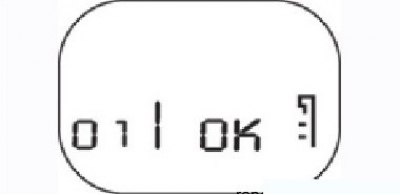
Figure 2.3. Indication of sufficient oil level
If the oil level is within the acceptable limits – between the maximum and minimum levels, the message "oil ok" appears on the display (Figure 2.3).
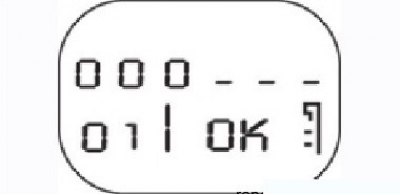
Figure 2.4. Low oil level indication
If during this time you press the "ADAC" button located on the end of the windshield wiper switch lever (data output to the on-board computer display), or "RAZ" (zeroing), the display shows "oil ok" and then the oil level in the form of symbols (squares). As the oil level drops, their number decreases and they are replaced by dash symbols (Figure 2.4).
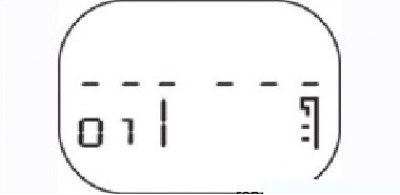
Figure 2.5. Low oil level indication
If the oil level is at minimum when the ignition is turned on, the symbols (dashes) and the inscription "oil ok" flash for 30 seconds (Figure 2.5). The "SERVICE" indicator light comes on and does not go out after the engine is started.
Notes
1. Under normal operating conditions, the oil level measurement is carried out only after one minute has passed after the ignition has been turned off, otherwise the display will again show the previous value
2. If a sensor malfunction is detected when the ignition is turned on, the display immediately begins to show the total mileage counter.
Changes in oil levels are normal and can be influenced by various factors:
- parking a car on a slope;
- too little time has passed between starting the engine and starting to move (especially if the oil is cold).
Odometer (total mileage counter)
The total mileage counter readings are displayed approximately 30 seconds after the ignition is turned on (after displaying the oil level). Pressing the "ADAC" or "RAZ" button will shorten the waiting time.
Daily mileage counter
The counter readings are displayed instead of the total mileage counter readings after briefly pressing the "ADAC" button.
The counter is reset by pressing the "RAZ" button. Resetting the trip odometer differs from resetting the trip computer.
The meter readings are given in either kilometers or miles; to change the unit of measurement, you need to replace the instrument cluster.
On-board computer
The data monitored by the on-board computer is displayed instead of the mileage counter readings when you press the button located on the end of the windshield wiper switch lever (the "ADAC" button) (data output to the on-board computer display). The on-board computer is reset by pressing the "RAZ" button.
The trip computer information is displayed on the screen after the daily mileage counter readings in the following sequence:
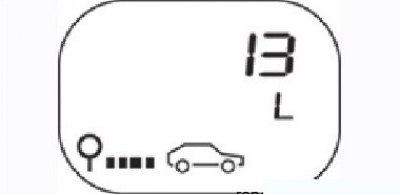
Figure 2.6. Fuel consumption indication – fuel consumption (l) since the last reset
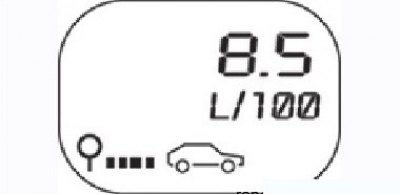
Figure 2.7. Average fuel consumption indication
- average fuel consumption (l) since last reset (Figure 2.7) appears on the display only after the vehicle has traveled approximately 400 m since the start of movement. Fixed dashes appear on the display under this message. Average fuel consumption is calculated based on the distance traveled and the amount of fuel consumed since the last reset;
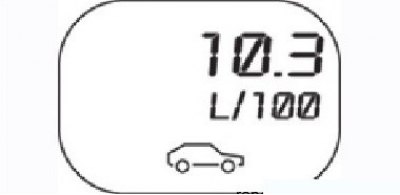
Figure 2.8. Current fuel consumption indication
- current fuel consumption (l) (Figure 2.8) appears on the display when the speed is over 30 km/h. Fixed dashes appear on the display under this message. When the accelerator pedal is released and the speed is over 30 km/h, the current fuel consumption is zero;
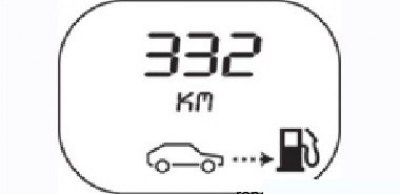
Figure 2.9. Indication of the remaining range until the next refueling
- estimated range until next refueling (km) (Figure 2.9) appears on the display only after the car has traveled about 400 m from the start. Fixed dashes appear on the display under this message. This is the estimated range taking into account the distance traveled, the remaining fuel in the tank and fuel consumption;
When the low fuel warning light is on, the fuel range is not displayed.
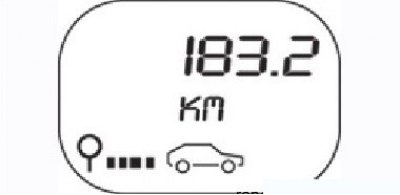
Figure 2.10. Distance traveled indication
- distance traveled since last reset (resetting the on-board computer readings) (Figure 2.10);
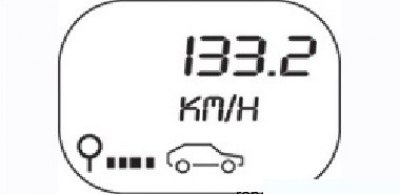
Figure 2.11. Average speed indication
- average speed since last reset (Figure 2.11) appears on the display only after the car has traveled about 400 m from the start. Fixed dashes appear on the display under this message. The average speed is calculated by dividing the distance traveled by the time elapsed since the last reset. The time reference point is set by the on-board computer;
- set speed of movement.
If the vehicle is equipped with a speed control or speed limiter, the display shows the set value in km/h. After approximately 15 seconds, the display returns to its original position.