



Remove the top engine covers.
Disconnect the battery.
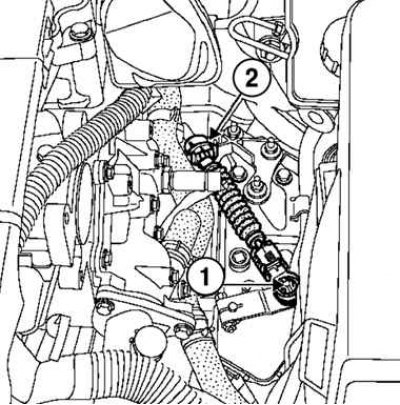
Fig. 6.28. Removing the ball end of the multifunction switch cable and the drive cable: 1 – ball end of the multifunction switch cable; 2 – drive cable
Remove the multifunction switch cable ball end and the drive cable from the sheath stop on the modular connector bracket (Fig. 6.28).
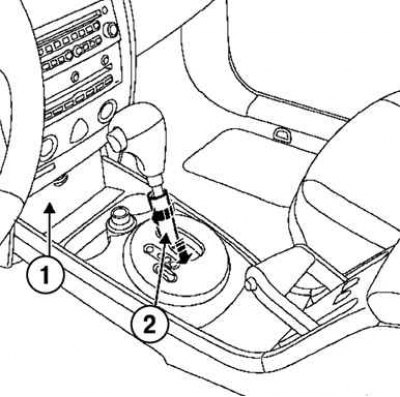
Fig. 6.29. Removing the diagnostic connector cover: 1 – diagnostic connector cover; 2 – lever detail
Remove the diagnostic connector cover. Turn the lever part a quarter turn, then lower it (Fig. 6.29).
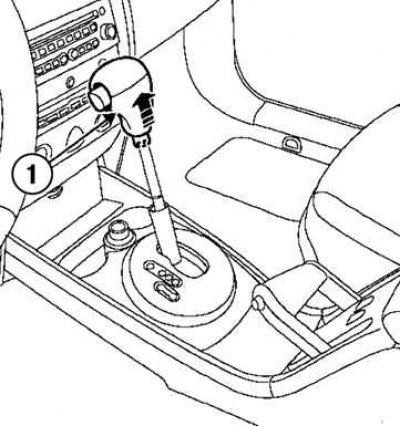
Fig. 6.30. Removing the selector handle: 1 – handle
Remove the selector lever handle by pulling it upwards (Fig. 6.30).
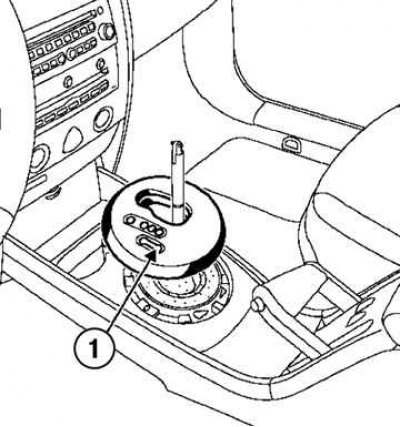
Fig. 6.31. Removing the decorative trim of the selector console: 1 – overlay
Disconnect the decorative trim of the selector console (Fig. 6.31).
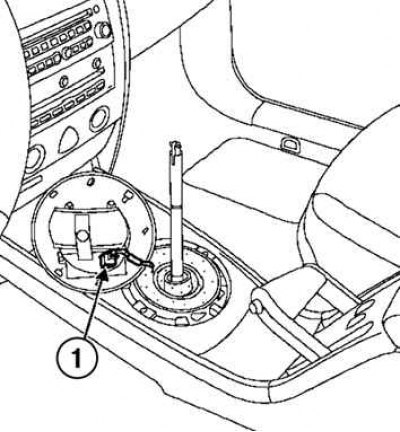
Fig. 6.32. Disconnecting the selector connector: 1 – connector
Disconnect the selector connector and open the glove compartment (Fig. 6.32).
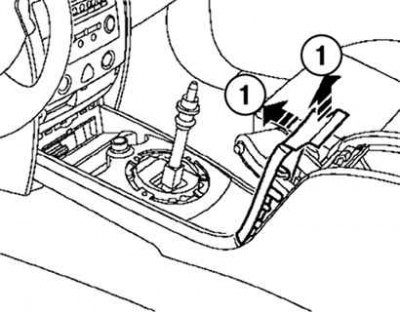
Fig. 6.33. Disconnecting the parking brake handle trim: 1 – cladding
Disconnect the parking brake handle trim (Fig. 6.33).
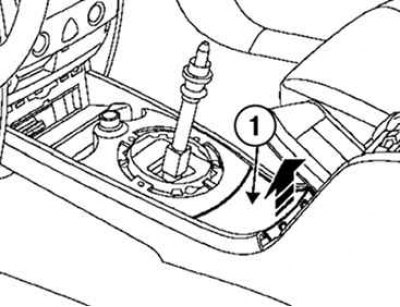
Fig. 6.34. Removing the lower cover of the selector console: 1 – bottom cover
Disconnect the lower cover of the selector console (Fig. 6.34).
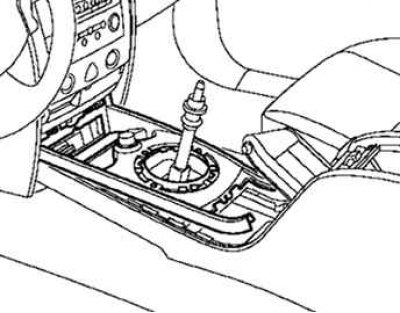
Fig. 6.35. Disconnecting the cigarette lighter connector
Disconnect the cigarette lighter holder and disconnect the cigarette lighter connector (Fig. 6.35).
Disconnect the seat heating element connectors (if the car is equipped with them).
Remove both front seats.
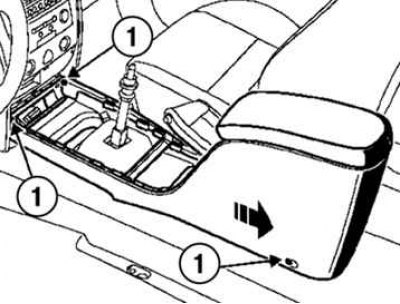
Fig. 6.36. Removing the selector lever console: 1 – console mounts
Slide the console slightly in the direction of the arrow shown in Figure 6.36 and remove it.