



Contents: Turning on the side lights 🠛 Turning on low beam 🠛 Turning on high beam headlights 🠛 "Light follow-to-door" function 🠛 Turning off the headlights 🠛 Fog lights 🠛 Rear fog light 🠛 Turning off outdoor lighting 🠛 Electrical adjustment of the…🠛
Turning on the side lights
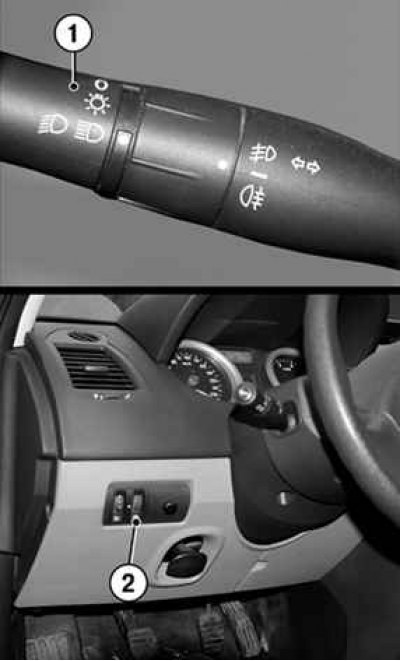
Fig. 1.40. Switching on the side lights: 1 – lever ring; 2 – regulator
Turn the outer ring of lever 1 of the steering column switch to the position in which the mark on the ring aligns with the corresponding symbol (Fig. 1.40).
At the same time, the instrument panel backlight is switched on. The backlight brightness is adjusted by turning the regulator 2.
Turning on low beam
Manual mode
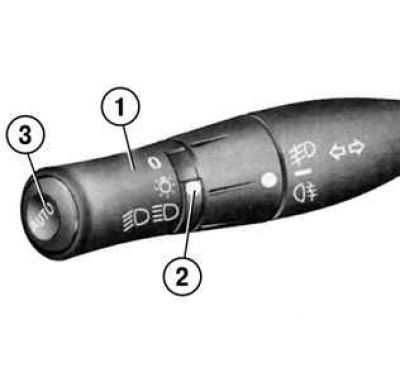
Fig. 1.41. Switching on low beam: 1 – lever ring; 2 – label; 3 – button
Turn the outer ring of lever 1 of the steering column switch to the position in which mark 2 aligns with the corresponding symbol (Fig. 1.41).
In all cases, the corresponding indicator lamp lights up on the instrument panel.
Automatic operation mode (depending on the vehicle configuration)
When the engine is running, the low beam headlights are switched on and off automatically depending on the level of illumination outside the vehicle, without any action on the steering column switch lever 1 (position 0).
Automatic mode can be switched on and off.
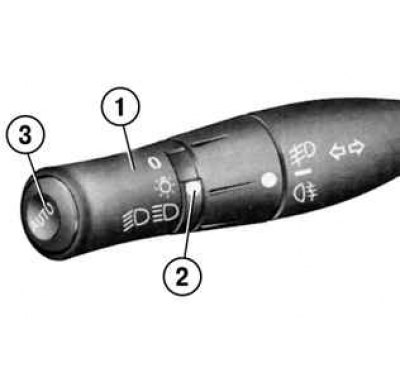
Fig. 1.41. Switching on low beam: 1 – lever ring; 2 – label; 3 – button
- To activate the mode, hold down button 3 for at least four seconds. A double beep will sound to confirm this action, and a corresponding message will appear on the instrument panel (see fig. 1.41).
- To turn off the mode when the engine is stopped, hold down the Z button for at least four seconds. A beep will confirm this action, and the message "Automatic lighting mode off" will appear on the instrument panel.
Any action on the steering column switch lever 1 has priority and cancels the automatic control mode.
Attention! Before driving in the dark, check the electrical equipment and adjust the headlights (if the vehicle loading differs from the usual). It is necessary to ensure that the vehicle's external lighting devices are not hidden (for example, dirt, snow or transported goods).
Turning on high beam headlights
With the low beam headlights on, move the steering column switch lever towards you.
At the same time, the high beam indicator lamp on the instrument panel lights up.
To turn the low beam headlights back on, move the switch lever toward you again.
"Light follow-to-door" function
This function allows you to briefly turn on the low beam headlights for illumination, for example when opening an entrance gate, garage door, etc.
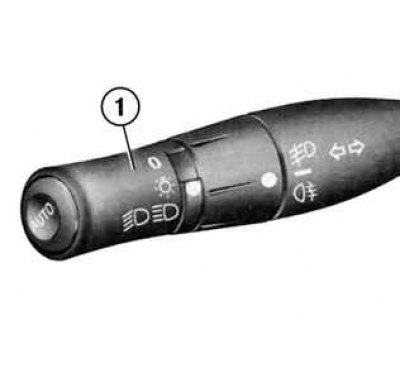
Fig. 1.42. Switching on high beam headlights: 1 – lever ring
After stopping the engine and turning off the headlights, turn the outer ring of the switch lever 1 to position 0 and pull the steering wheel switch lever 1 towards you: the low beam headlights will turn on for approximately thirty seconds (see fig. 1.42).
Each subsequent press of the switch extends the duration of lighting by 30 seconds. The maximum duration of lighting is two minutes (four clicks on the switch).
To switch off the lighting before it switches off automatically, turn the outer ring of the steering column switch lever 1 and set it to position 0 (Fig. 1.42).
Turning off the headlights
Manual mode
There are two ways to turn off the headlights manually:
- set the steering column switch lever 1 to its original position;
- the headlights are switched off after the engine is stopped, when the driver's door is opened. In this case, when the engine is subsequently started, the headlights will turn on in the mode corresponding to the position of the switch lever 1 (see fig. 1.42).
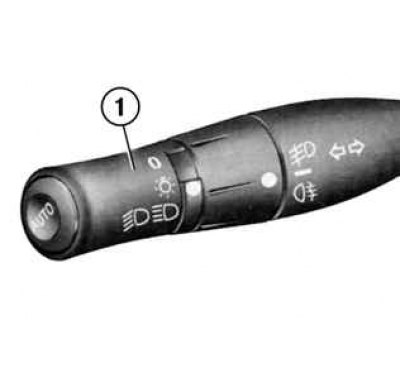
Fig. 1.42. Switching on high beam headlights: 1 – lever ring
Automatic mode (depending on the vehicle configuration)
The headlights turn off after the engine is stopped, when the driver's door is opened or when the car is locked.
If the headlights were turned on after the engine was stopped, a sound signal will sound when the driver's door is opened, reminding you that the lights were not turned off.
Fog lights
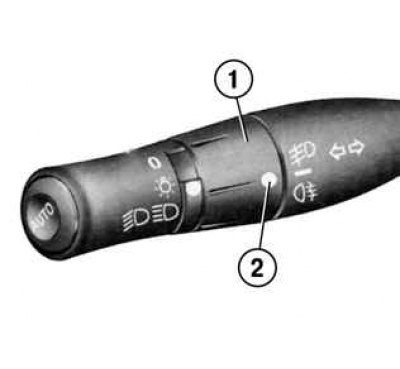
Fig. 1.43. Switching on the fog lights: 1 – middle ring of the lever; 2 – label
Turn the middle ring of the steering column switch lever 1 to the position where mark 2 aligns with the corresponding symbol, then release the ring (Fig. 1.43).
The fog lights are switched on only if the ring on the end of the switch is set to a certain position, and the corresponding indicator lamp on the instrument panel lights up at the same time.
Rear fog light
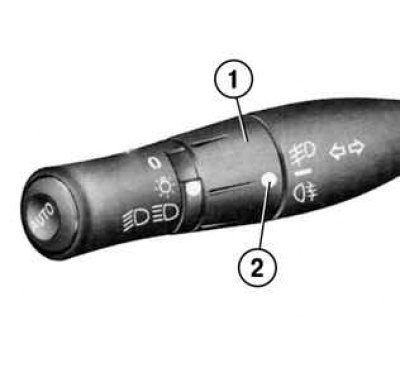
Fig. 1.43. Switching on the fog lights: 1 – middle ring of the lever; 2 – label
Turn the middle ring of the steering column switch lever 1 to the position where the mark 2 is aligned with the corresponding symbol, then release the ring (see fig. 1.43).
The light turns on if the external lighting devices are turned on, and the corresponding indicator lamp on the instrument panel lights up at the same time.
Remember to turn off the rear fog light when not needed to avoid disturbing other road users.
Note: The fog light is located on the driver's side.
Turning off outdoor lighting
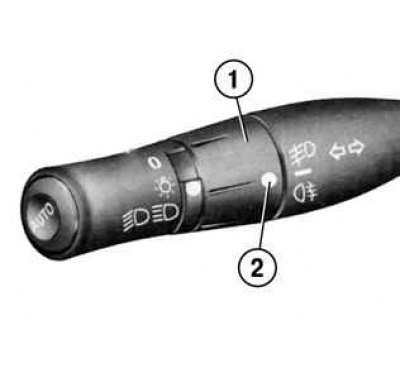
Fig. 1.43. Switching on the fog lights: 1 – middle ring of the lever; 2 – label
Turn ring 1 again, aligning mark 6 with the symbol for the fog lights you want to switch off (see fig. 1.43).
When the exterior lighting is turned off, the fog lights and headlights are turned off at the same time.
Note: When driving in fog, the headlights are not switched on automatically, and you can check the operation of the fog lights: the control lamps on the instrument panel indicate that they are on (the control lamp is on) or turning off (the control lamp does not light).
Electrical adjustment of the headlight beam direction in the vertical plane
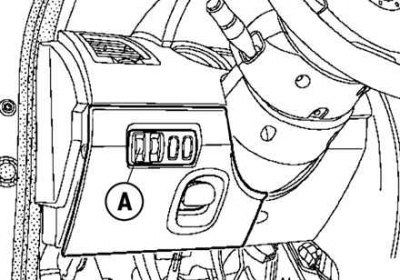
Fig. 1.44. Headlight direction change control
In cars with this function, regulator A allows you to change the direction of the headlights in height depending on the degree of loading of the car (Fig. 1.44).
Turn knob A downwards to lower the headlight beams, or upwards to raise them.
On other modifications, adjustment is carried out automatically.