



Contents: Built-in or separate spare key…🠛 Replacement or obtaining an…🠛 Unlocking 🠛 Locking 🠛 Unlocking/locking the luggage…🠛 Remote switching on of lighting…🠛 Renault Unrecognized Card Alarm 🠛 Unlocking the car 🠛 Car lock 🠛 Locking with Renault card 🠛 Full door lock mode 🠛 Renault "Service" Card 🠛 Opening doors 🠛 Child safety 🠛 Manually locking/unlocking doors 🠛 Locking doors manually 🠛 Locking/unlocking doors from the…🠛 Indicator lamp for the status of the…🠛
The Renault card provides:
- locking/unlocking opening elements of the body (all doors) and the fuel filler cap;
- remote control of car lighting;
- engine start.
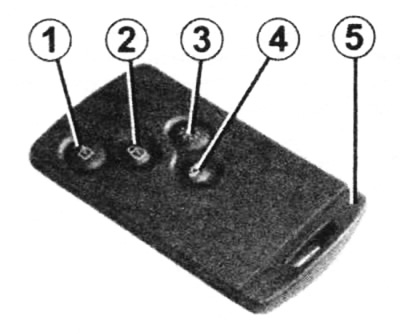
Renault Map:
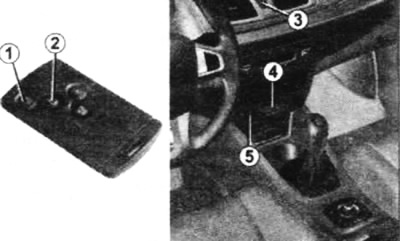
1 - unlocking all opening elements of the body;
2 - locking all opening elements of the body;
3 - remote switching on of lighting;
4 - unlocking/locking the luggage compartment or tailgate;
5 - built-in key
The map's range depends on the surrounding conditions.
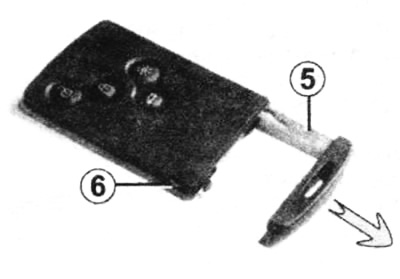
Built-in or separate spare key (depending on the vehicle configuration)
Used only to open the left front door in case of Renault card failure.
Caution: After opening the door with the spare key, insert the Renault card into the reader to start the engine.
To remove the key, press button 6 and pull key 5, then release the button.
Replacement or obtaining an additional Renault card
If you lose your Renault card or want to obtain an additional card, please contact a Renault service station only.
In case of replacement of the Renault card, it is necessary to deliver the car and all its cards to the service station to initialize the entire set.
Up to four Renault cards can be used for one car. Check the battery condition. Its service life is approximately two years.
Unlocking
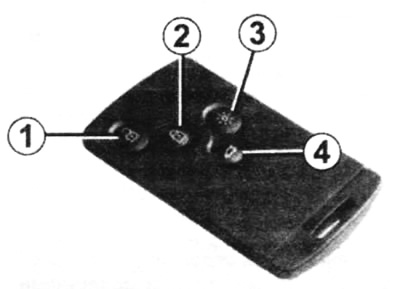
Press button 1.
Unlocking the door locks is accompanied by a single activation of the direction indicators in hazard warning mode.
Locking
Press the door lock button 2.
Locking is accompanied by double activation of the direction indicators in hazard warning mode.
If the opening element (side door or tailgate) open or poorly closed or if the Renault card remains in the reader, the locks are soon unlocked after locking and the hazard warning lights do not come on.
Unlocking/locking the luggage compartment only
Press button 4 to unlock/lock the luggage compartment.
Remote switching on of lighting devices
Pressing button 3 switches on the low beam headlights, side turn signal repeaters and interior lighting for approximately 30 seconds. This allows you to find your car in a parking lot, for example.
The lighting turns off when button 3 is pressed again.
Renault Unrecognized Card Alarm
If the door is opened with the engine running but there is no card in the reader, a warning message appears on the display "Keycard not detected" accompanied by a sound signal. The signal and message will disappear as soon as the card is inserted into the reader.
Unlocking the car
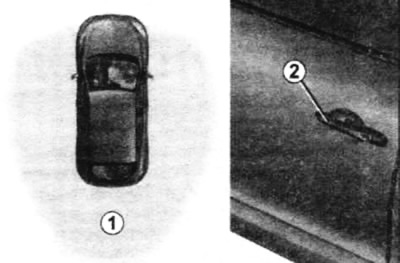
With the Renault card in zone 1, pull handle 2: the car is unlocked (in some cases it is necessary to pull handle 2 twice to unlock the car and open the door).
Press button 3 once to completely unlock the vehicle.
Unlocking the door locks is accompanied by a single activation of the direction indicators in hazard warning mode.
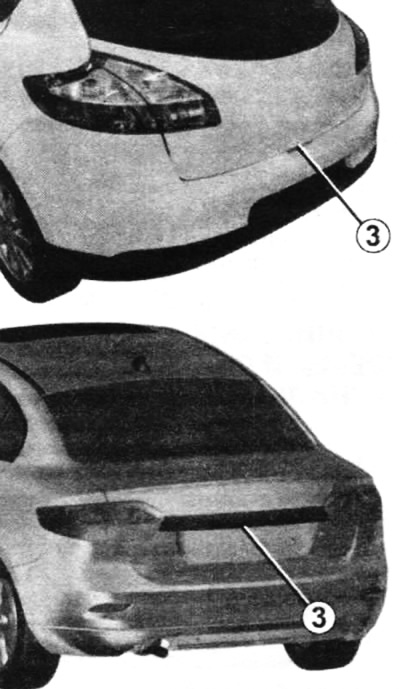
Car lock
There are three ways to lock the car: remotely, using button 4 and using the Renault card.
Remote locking: with your Renault card on you, move away from the vehicle with the doors and boot closed - the vehicle will lock automatically once you leave zone 1.
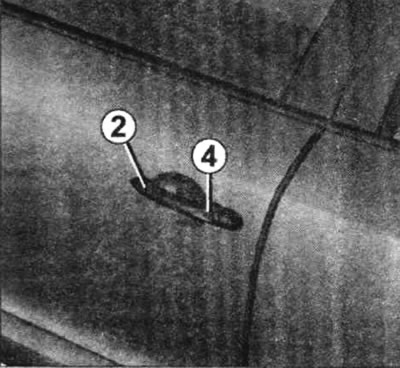
Locking with button 4
With the doors and luggage compartment closed, press button 4 on the driver's door handle. The car is locked. If the door or luggage compartment is open or not closed properly, the car will be quickly locked/unlocked.
To lock the doors, the RENAULT card must be in the coverage area near the vehicle (zone 1).
Locking with Renault card
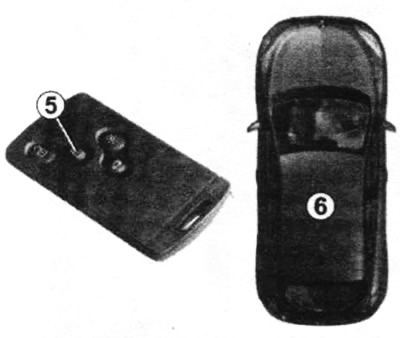
With the doors and luggage compartment closed, press button 5: the car is locked.
The vehicle will not be blocked if:
- opening body elements are open or poorly closed;
- the card remained in zone 6 (or in a reading device) and there is no other card in the external detection zone.
Full door lock mode
If the vehicle is equipped with a full door locking mode, this mode allows you to lock the opening elements of the body and makes it impossible to open the doors using the interior handles (for example, when trying to open a door from the inside through broken glass).
To enable full door lock mode:
- press button 2 twice with a short interval;
- or press the driver's door handle button 3 twice at short intervals.
Locking the doors is accompanied by five flashes of the direction indicators in hazard warning mode.
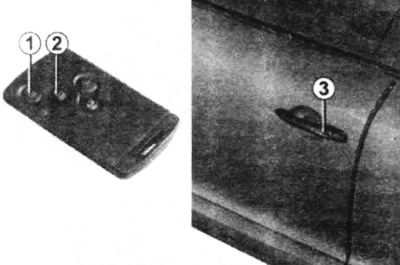
To deactivate the full door lock mode: unlock the car using button 1 on the Renault card.
Unlocking the door locks is accompanied by a single activation of the direction indicators in hazard warning mode.
Note: Depending on the vehicle equipment, activating the full door locking mode also activates the remote closing of the windows and/or the electric sunroof.
After activating the interior door handle lock using button 2, locking when moving away from the vehicle and unlocking in hands-free mode is not possible.
To return to hands-free mode, start the engine.
Renault "Service" Card
If the car is equipped with such a card, it will have the inscription "Service" on it.
This card allows you to lock the car, but only makes it possible to unlock the driver's door and start the engine.
To activate the mode, insert the card into the reader 4. All opening elements of the car body are blocked (except for the driver's door).
Or, with the engine off, press button 1 (all opening body elements, except the driver's door, will be locked) or 2 (in this case the car will be locked).
To switch off the mode, press any button on the Renault card (except the Renault "Service" card) or start the engine using the card - with the card inserted into the reader 4, press button 5.
Opening doors
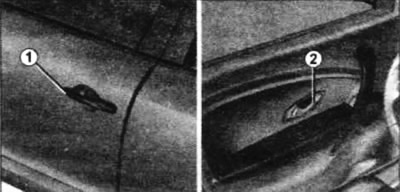
From the outside: with the doors unlocked or with the RENAULT Hands-Free card, grasp handle 1 and pull it towards you. From the inside: pull door handle 2.
Child safety
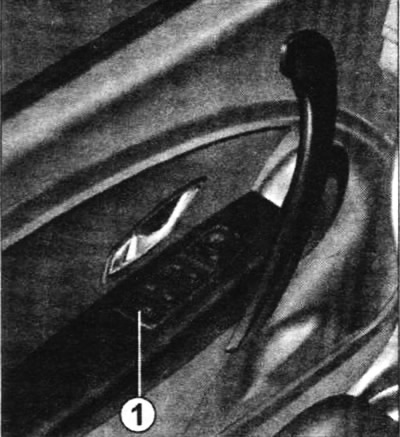
Press switch 1 to enable opening of the rear doors. If the vehicle is equipped with rear electric windows, pressing this switch also enables them to be turned on.
The door lock is indicated by the illumination of the signal lamp built into the switch.
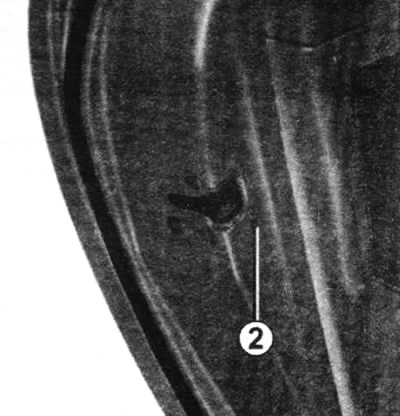
To lock the rear doors from the inside, move lever 2.
Manually locking/unlocking doors
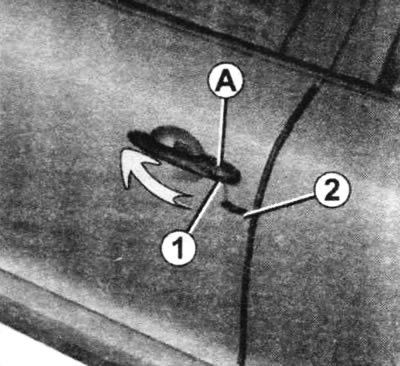
Remove cover A of the left door by inserting the tip of key 2 into recess 1.
Lift it up, then remove cover A.
Insert key 2 into the lock and lock or unlock the front left door.
Locking doors manually
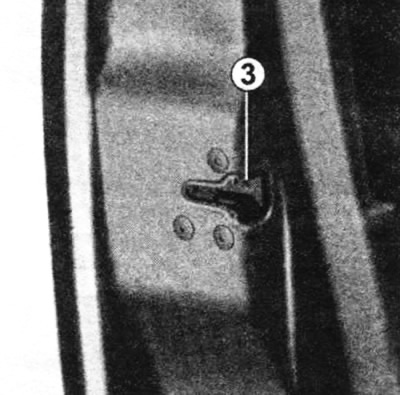
With the door open, turn screw 3 with the tip of the key and close the door.
After this, it will be impossible to open the door from the outside.
It can only be opened from the inside or using the key for the front left door.
Locking/unlocking doors from the inside
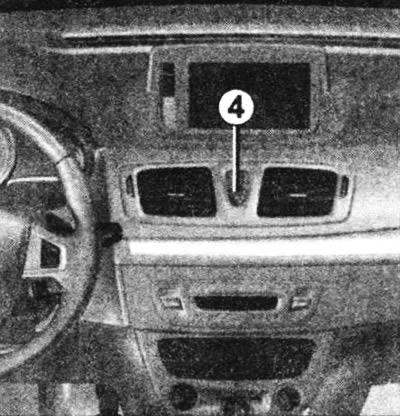
Switch 4 enables simultaneous unlocking or locking of all side doors, the tailgate and, depending on the vehicle configuration, the fuel filler flap.
If one of the opening elements of the body (side door or rear door) open or not tightly closed, rapid locking/unlocking occurs.
Indicator lamp for the status of the locks of the opening elements of the body
The indicator light comes on when the locks are locked.
The indicator light does not light if the locks are not locked.